top of page
Customer Support Inbox Management & Email Automation
I set up a professional customer support inbox in Gmail to manage e-commerce inquiries efficiently. I created 4 labels to organize tickets by type and urgency, resolved 3 sample tickets with professional replies, and created 6 email templates to reduce response time and ensure consistency.
Project type
Customer Support \ Email Management \ E-commerce Support
Role
Customer Support Specialist | Virtual Assistance
Tools Used
Gmail, Gmail Labels, Gmail Templates (Canned Responses),Google workspace

01
Customer Support Inbox Management & Email Automation

01
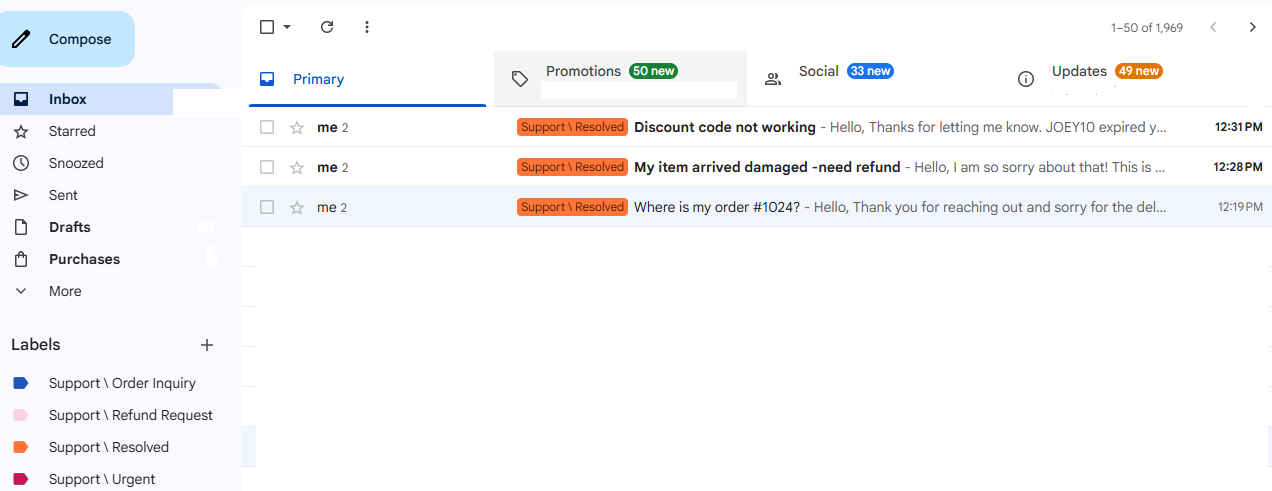
Clean Inbox
Gmail Inbox organized with labels: Support / Urgent, Support / Order Inquiry, Support / Refund Request, Support / Resolved. 3 tickets marked as resolved.

02
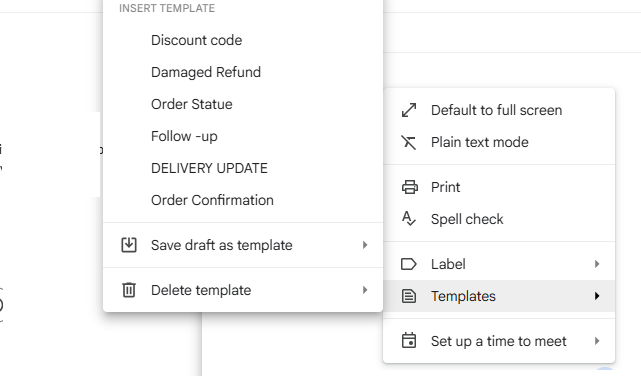
Template Menu
6 saved Gmail Templates / Canned Responses for fast handling of common issues: Discount code issues, Damaged refunds, Order status, Follow-ups, Delivery updates, and Order confirmations.

03
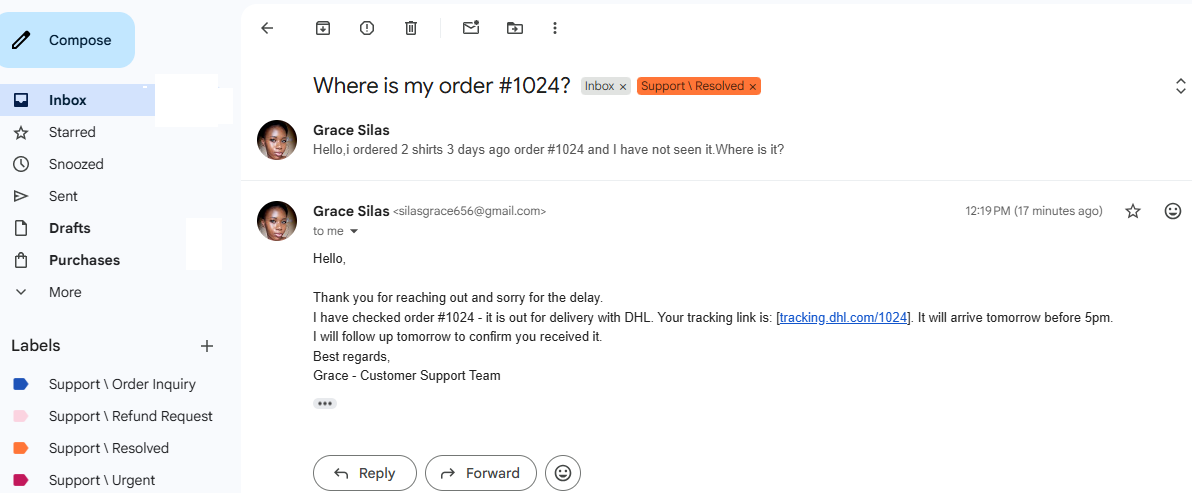
Professional Reply
Professional customer reply for Order #10247. Provided tracking link, confirmed delivery status with DHL, and offered follow-up to ensure customer satisfaction.
bottom of page