top of page
HubSpot CRM Setup for E-commerce
I set up HubSpot CRM for an e-commerce demo business to organize customer data and improve follow-up.
What I did:
-Created 13 contacts with custom fields
- Built 3 custom properties (Product Tags, etc.)
-Segmented customers into "Order Placed" view (3 customers)
-Exported targeted list for email campaign
- Managed deals pipeline for tracking sales
Tools
HubSpot CRM,Contact Management,List Sagementation
Role
CRM Virtual Assistant \ Customer Support VA
Project type
CRM Setup

01
HubSpot CRM Setup for E-commerce

01
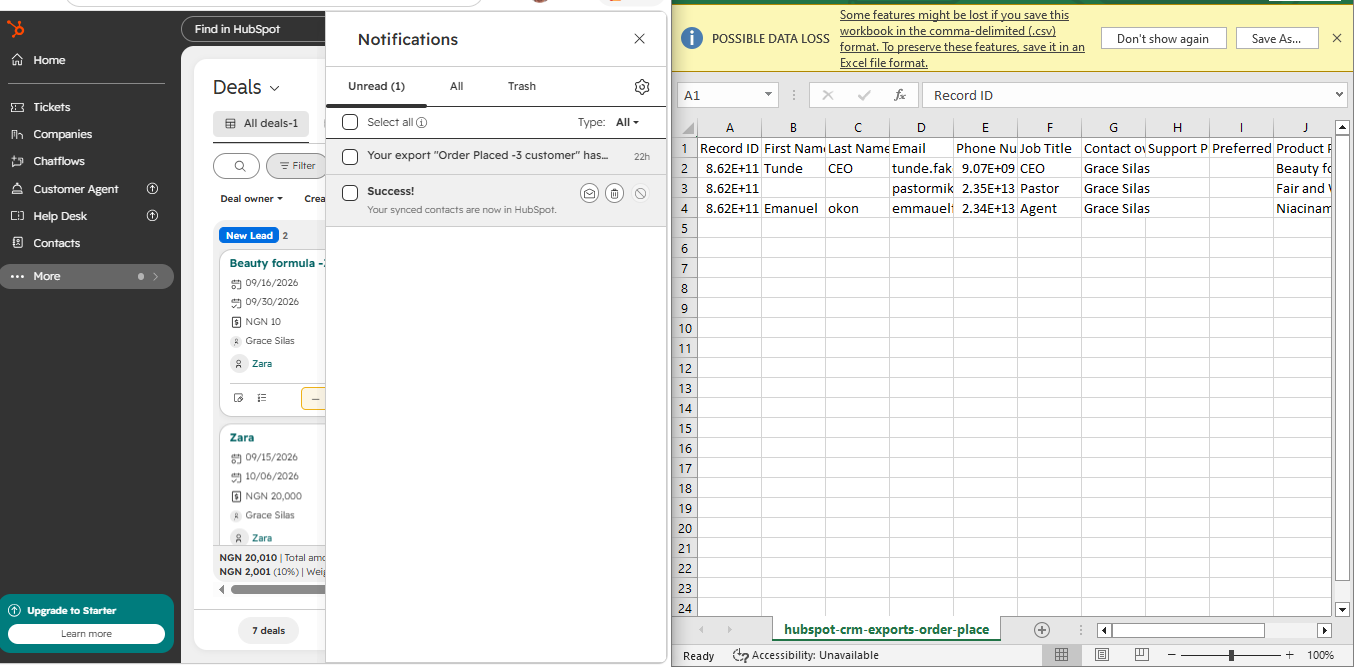
Targeted Export for email Campaign
> This shows how I exported a segmented customer list from HubSpot for email marketing.
>
> After creating the "Order Placed" view with 3 customers, I exported their details into Excel so the business can run a targeted follow-up or promo campaign without messaging the wrong people.
>
> What this proves: I don't just set up CRM, I make the data usable for marketing and support.
>
> After creating the "Order Placed" view with 3 customers, I exported their details into Excel so the business can run a targeted follow-up or promo campaign without messaging the wrong people.
>
> What this proves: I don't just set up CRM, I make the data usable for marketing and support.

02
Customer Journey Tracking
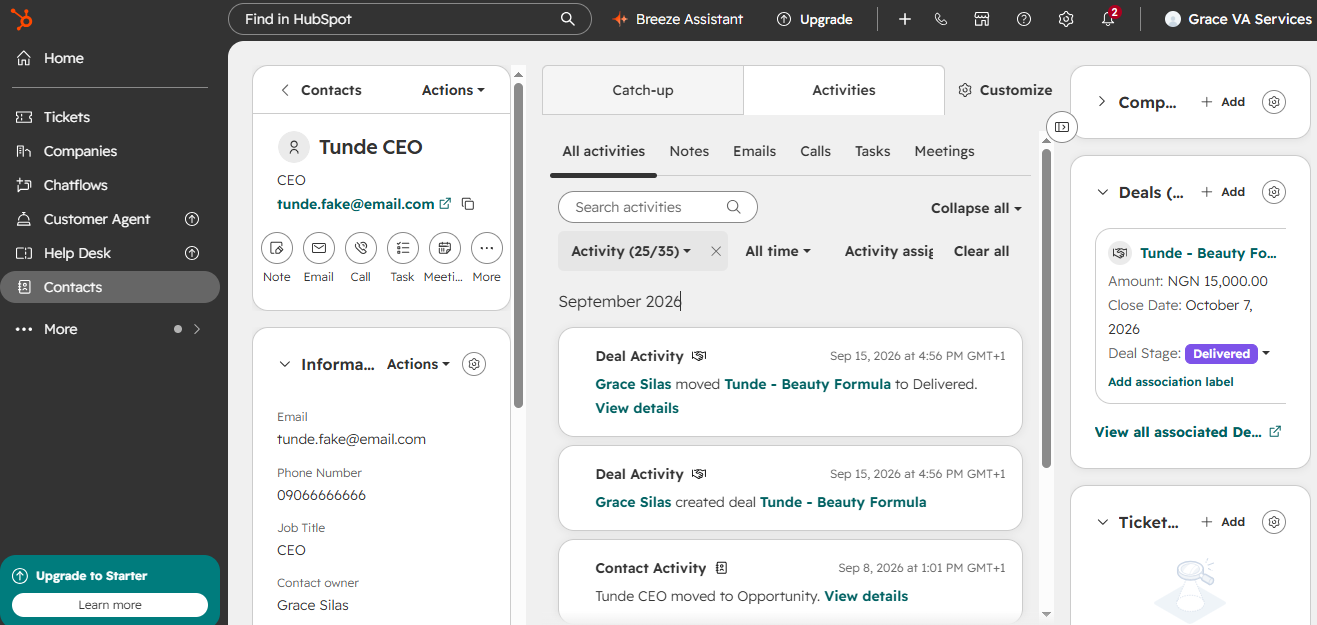
Here I tracked a customer's full journey in HubSpot — from Opportunity to Delivered.
Contact: Tunde CEO with email, phone, job title.
I created and moved his deal "Tunde - Beauty Formula" through the stages and linked it to his contact profile.
Result: The business can see exactly where each customer is in the sales process and follow up based on real data, not guesswork.
Contact: Tunde CEO with email, phone, job title.
I created and moved his deal "Tunde - Beauty Formula" through the stages and linked it to his contact profile.
Result: The business can see exactly where each customer is in the sales process and follow up based on real data, not guesswork.
bottom of page